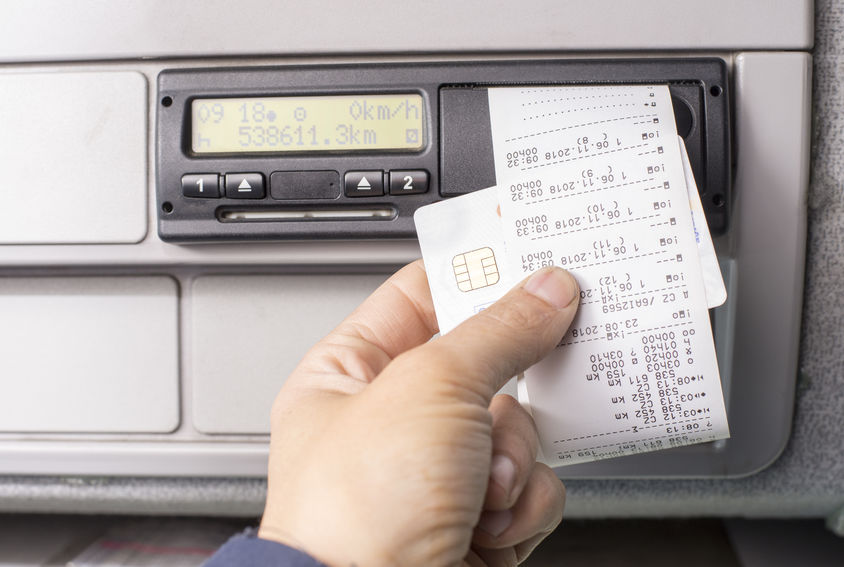
Manual reading - VDO Key
CONTACT US FOR A NON-BINDING OFFER
Manual download
If the tachograph needs to be read manually, it can be done either via our download stations or via a download key.
At most of our download stations, you can borrow a download key to read your vehicle.
To read the vehicle, take your company card and download key into the vehicle and read the vehicle (with the ignition on) via the connector under the triangular hood.
Here you can find all our download stations

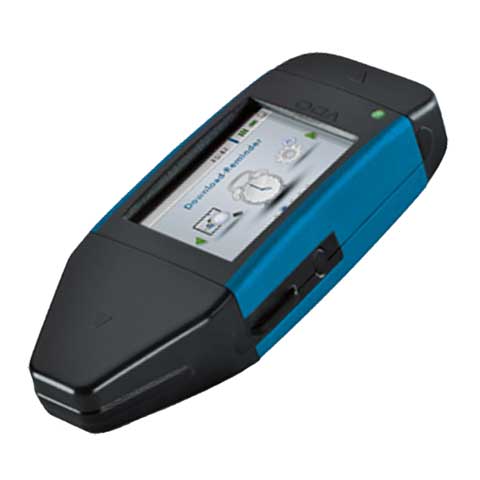
The download key
If you want a reading solution where you can read both driver cards and vehicle data at the company, a VDO key is the best choice.
The VDO key has an integrated card reader, which allows you to download directly from driver cards and tachographs.
That way, you and your drivers do not need to go past a reading station, but can read your data directly in the office.
We install a small service on your PC, which transfers tachograph data directly to our server when the key is inserted into a PC via USB input.
When data lands on our server, you will be able to see the data in TachoManagement within minutes and receive the analysis reports by mail. We have day-to-day delivery and ordering takes place by phone at 70 222 337
Guides on how to use the key or download the guide here:
Driver card reading with VDO key:
Reading of VDO tachograph with VDO key:
About the VDO download Key
- The key has a plug at one end that fits the tachograph (no wire)
- Driver card can be inserted into the side of the key
- The key has a USB connector that plugs into your computer when sending data to the server at Tachografservice.
- The screen displays latest download, download reminders, power level information, and memory capacity.
- The battery is charged via USB, e.g. when the key is inserted into the computer. This means no batteries to change